


M64Plus FZ Emulator
4.76.64K Reviews
App Specs
- Version
- Varies with Device
- Updated On
- License
- Free
- Downloads
- 10,000,000+
- Developer
- Francisco Zurita
- Categories
- Arcade
- Platform
- Android
Screenshots
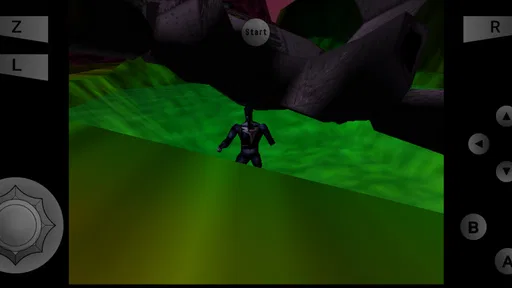
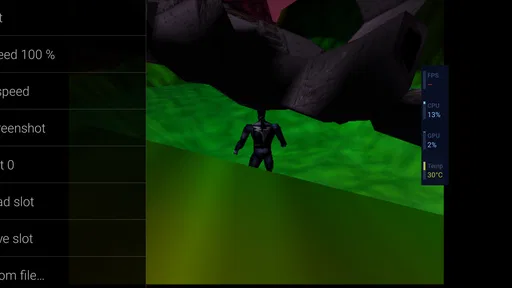
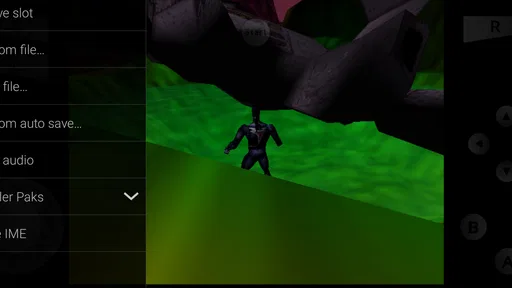
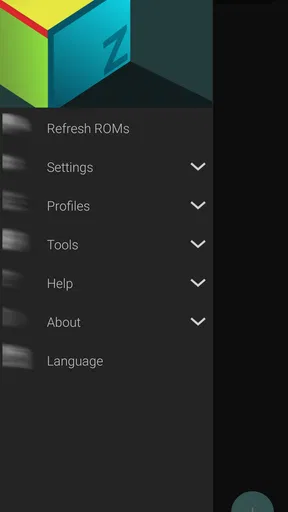
 Analysis by AppCompare
I did not expect an emulator to be especially good at short, casual sessions, but M64Plus FZ Emulator surprised me in that respect. It gives me a quick route back to games made for a certain 64-bit console without asking me to treat every play session like a major project. When I have only a few minutes, I can choose a familiar game, pick up where I left off, and get straight to the part I actually wanted to play.
That convenience is also the reason I would recommend it carefully. This is not a new arcade game with its own levels, controls, or progression. It is an Android arcade emulator developed by Francisco Zurita, and its usefulness depends heavily on the games you want to run and how comfortable you are with setting up an emulator. For the right player, it can turn a phone into a practical pocket machine for revisiting older favorites. For someone expecting an instant, self-contained download-and-play experience, it may feel more involved.
Why the first few minutes matter with this emulator
The strongest part of M64Plus FZ Emulator is the gap between opening it and reaching an actual game. Once the necessary game files are available on the device, the experience is focused on getting you into play rather than surrounding the emulator with distractions. That matters when my goal is a quick break instead of a long evening of configuration.
I see it as a useful companion for waiting rooms, commutes, and those small pauses when I want something more engaging than scrolling. A short session can still feel worthwhile because older console games often offer immediate movement and recognizable objectives. I do not need to learn a new economy, wait for energy, or build a daily routine before enjoying a few minutes.
There is an important distinction here: the emulator itself does not supply the games. Users need to handle their own legally obtained game files and understand where those files are stored. That step is the main barrier for newcomers. If you have never used an emulator, the first launch may involve more file management than you expect, and that can undermine the instant appeal.
My practical advice is to prepare one or two games before you need a quick session. Put them in a clearly named folder, avoid scattering copies across storage, and test them when you have time to solve any setup issue. Once that groundwork is done, the app becomes far more suitable for spontaneous play.
The app is free and carries an Everyone content rating, which makes it approachable for a broad audience. Its store presence is substantial, with more than ten million installs and an average rating of 4.7 from roughly one hundred thirty-eight thousand ratings. I would not treat popularity as proof that every game will work perfectly, but it does suggest that many Android users have found the emulator useful enough to keep around.
Worth Reading Before You Choose

EA SPORTS FC Mobile 26 Is a Bigger Football Game, but It Takes Time

Flipboard Shows What News Apps Must Do Beyond the Feed

Switching to Android Auto Means Rethinking Your Driving Routine

Google Calendar Makes a Crowded Week Easier to Manage

Ludo King Makes the Most of the Minutes Between Plans

Baby Panda World Brings Quick Play to Modern Phones, but Its Game Library Feels Busy
A short-session rhythm that feels different from modern mobile games
What I like most is the absence of pressure. A typical mobile arcade title often tries to keep me moving through rewards, timers, advertisements, or repeated prompts. With an emulator, the rhythm comes from the original game. I can play a single race, attempt one difficult section, explore for a few minutes, or stop immediately after a successful run.
That makes the experience unusually clear. I know why I opened it, what I am trying to do, and when I am finished. There is no need to maintain a streak or collect a daily bonus. For casual use, that simplicity is more valuable than a long list of modern features.
The trade-off is that the quality of a short session depends on the particular game. Some console games are excellent in brief bursts, while others take longer to build momentum or expect repeated attempts before progress becomes satisfying. M64Plus FZ Emulator cannot smooth out those differences. It gives the original software a way to run; it does not redesign every game for a phone-sized break.
I found that games with clear individual challenges work best for this editorial angle. A quick race, match, stage, or combat attempt gives me a natural stopping point. Games built around larger areas or longer story sequences are still enjoyable, but I am more likely to stop in the middle and rely on a save or resume method later.
The on-screen controls are another factor. Touch controls can be perfectly usable for slower games, menus, exploration, and simple actions. They are less comfortable when a game demands several buttons at once, precise analog movement, or fast camera adjustments. A physical controller is usually the better choice for serious play, but carrying one changes the casual nature of the experience.
Before judging performance, I would test the games you care about rather than assuming that one result represents the whole library. Emulation is affected by the individual game, the phone, the graphics settings, and the control method. A title that feels smooth and responsive on one device may need adjustment on another. That is not a reason to dismiss the app, but it is a reason to keep expectations realistic.
Stopping cleanly and returning later
Interruption tolerance is where an emulator can either become a daily tool or remain a novelty. In my experience, M64Plus FZ Emulator makes the most sense when I treat it as a flexible way to revisit games rather than as a replacement for every modern gaming device. The ability to stop when real life interrupts me is essential, especially on a phone.
I would not begin a long section right before boarding transport or entering a meeting unless I already knew the game offered a convenient way to preserve progress. Some older games were designed around longer play sessions and may not provide the same forgiving pause structure that modern mobile games do. The emulator can make access easier, but it cannot change the original design philosophy.
That is why I recommend creating a simple personal routine: pause inside the game when possible, use the emulator’s available save options responsibly, and avoid relying on a single fragile save state for valuable progress. Save states are convenient for a quick attempt or a difficult challenge, but rotating a few saves is safer than overwriting the only one.
There is also a useful difference between pausing and preserving. Pausing is ideal when I expect to return soon and the phone is staying available. Preserving progress is more important when I am switching apps, restarting the device, or putting the phone away for the day. Thinking about those as separate actions prevents the common frustration of assuming that a temporary pause is the same as a dependable long-term save.
For a commuter, this makes the app surprisingly practical. I can play during a short wait, stop before my name is called, and return later without needing to commit to a full chapter or campaign. For a parent or anyone whose time is regularly interrupted, that flexibility may matter more than visual polish.
On the other hand, users who want seamless cloud-style continuity across several devices should look closely at their own workflow before committing. An emulator is more dependent on local files and local organization than a typical mobile game. If your priority is opening an account on any device and continuing automatically, a conventional modern game or an official re-release may be less work.
Replay value comes from the games, not from the emulator
M64Plus FZ Emulator has strong replay potential because the software it runs can remain enjoyable long after the first playthrough. Older games often reward repetition through better routes, improved timing, hidden areas, higher scores, or the simple pleasure of mastering controls. That is a better kind of replay value for me than repeating a task only to receive another virtual currency reward.
Still, I want to be precise about where that value comes from. The emulator is the access layer. Its job is to make returning to those games convenient, responsive, and manageable on Android. It does not create new challenges, add modern achievements, or provide a fresh progression system. If the game you load has little reason to be replayed, the emulator cannot manufacture one.
A good way to use it is to keep a small rotation instead of filling the phone with every possible game. I prefer one title for quick action, one for slower exploration, and one that I know I can play with touch controls. This reduces decision fatigue and makes the app feel like a curated personal arcade rather than a messy file cabinet.
Another useful habit is to separate experimentation from regular play. When testing a new game, I expect to adjust controls or graphics and possibly discover that it is not a good fit for my device. Once I find a reliable setup, I leave it alone. Constantly changing settings during a difficult game can create confusion and make it harder to tell whether a problem comes from the emulator, the game file, or my own controls.
Players who enjoy tinkering will probably appreciate that flexibility. They can spend time finding a comfortable layout, exploring available options, and matching settings to each game. Players who see configuration as an annoyance may prefer an official port, a plug-and-play collection, or a dedicated console. The emulator offers freedom, but freedom often arrives with responsibility.
Where it fits among the usual alternatives
Compared with a native mobile arcade game, M64Plus FZ Emulator feels less immediate at the beginning but more rewarding for people who already have a connection to older console games. A native game is usually easier to install and may be designed around touchscreens, portrait play, short rounds, and automatic saving. M64Plus FZ Emulator wins when authenticity, access to a particular back catalog, and long-term replay matter more than instant onboarding.
Compared with official re-releases, the choice is more complicated. An official version may offer cleaner menus, modern controller support, updated display options, or a simpler legal purchase path. It may also be limited to selected games. The emulator is more flexible for users who want one tool for a broader range of their own legally obtained titles, but that flexibility comes with setup and compatibility considerations.
Compared with playing on original hardware, the phone is obviously more convenient for spontaneous sessions. I can keep it in my pocket and play without setting up a television. The compromise is that touch controls, screen size, battery use, and device performance may not reproduce the feel of a real controller and console. For serious nostalgia, original hardware or a dedicated handheld can still provide the more satisfying experience.
Compared with other emulators, the most meaningful comparison is not a feature checklist. I would ask which emulator handles the specific games in my collection well, how comfortable its controls feel, and how easy it is to return to a saved session. M64Plus FZ Emulator is a sensible choice for Android users focused on this particular 64-bit console era, but there is no universal emulator that makes every game, phone, and controller combination equally good.
Who should use it, and who should skip it
I think it is a strong match for Android players who already know which older games they want to revisit. It is also appealing to people who value short, self-directed sessions and dislike the constant engagement tactics common in free-to-play arcade games. If you enjoy improving your own times, replaying favorite stages, or exploring familiar worlds at your own pace, the emulator can stay useful for a long time.
It is less suitable for someone who wants a complete game included with the download. It is also not my first recommendation for a player who refuses to manage files, dislikes adjusting controls, or expects every title to perform identically. The app is free, but “free” does not mean frictionless: the time spent organizing games and finding comfortable settings is part of the real cost of using it.
New emulator users should start with one legally obtained game rather than attempting to configure a large library at once. Confirm that the file is recognized, test a short section, adjust the controls, and learn how saving works before investing hours. That approach makes troubleshooting far less stressful and gives a fairer impression of the app’s actual strengths.
Experienced users can get more from it by treating each game as its own profile in practice, even when the app makes management convenient. Different games may need different button layouts, display preferences, or performance choices. Keeping notes for the titles you play often saves time after an update, a device change, or a reset.
My casual verdict after using it as a pocket arcade
M64Plus FZ Emulator works best when I want direct access to older console games without turning my phone into a complicated gaming project. Its biggest success is not flashy presentation; it is the way it supports a clear loop: open a familiar game, play for a little while, stop when necessary, and return when I have another moment.
The experience is especially good for short sessions when the chosen game has natural stopping points. It also has meaningful replay value because many of the games it supports can be practiced and revisited for years. That combination gives the app more staying power than a disposable arcade download.
My reservations are equally clear. Setup can be intimidating for first-time emulator users, touch controls are not ideal for every game, and performance depends on the relationship between the phone, the settings, and the individual title. Anyone looking for a polished, self-contained mobile game should choose something else. Anyone who wants a simple official re-release may also have a smoother path with a native alternative.
For Android users who understand those trade-offs, I consider it an easy recommendation. Francisco Zurita’s emulator has been available since July 21, 2016, and its broad adoption shows that it has remained relevant to a large audience. The best reason to install it is not to collect games, but to make the few games you genuinely love easier to play again.
That is how I would use it: keep a small, well-organized selection, prepare the controls before a busy day, save thoughtfully, and judge it by the quality of the games I return to rather than by the number of options on the screen. Used that way, this free arcade emulator turns spare minutes into focused, satisfying play without demanding that every session become an event.
Pros
- Excellent Nintendo 64 compatibility for most popular games.
- Supports save states
- cheats
- and multiple controller layouts.
- Offers customizable graphics and performance settings.
- Works with physical Bluetooth and USB gamepads.
- Regular updates help improve compatibility and stability.
Cons
- Requires legally obtained ROM files; games are not included.
- Some titles may experience glitches
- crashes
- or imperfect emulation.
- Advanced settings can feel confusing for first-time users.
- Performance varies significantly between different Android devices.
- The free version may include ads and optional in-app purchases.
FAQs for M64Plus FZ Emulator
What is M64Plus FZ Emulator, and which games can it run?
M64Plus FZ Emulator is an Android application designed to emulate Nintendo 64 games on compatible phones and tablets. It can run many N64 titles, including platformers, racing games, fighting games, and role-playing games, provided you legally own the original games. Compatibility and performance vary depending on the specific title, emulator plugin, device hardware, and Android version.
Does M64Plus FZ Emulator include Nintendo 64 games?
No. M64Plus FZ Emulator does not normally include copyrighted Nintendo 64 games, ROM files, or commercial game content. You must obtain game files legally from cartridges or backups that you own, according to the laws in your country. The app is an emulator rather than a game library, so downloading it alone will not provide access to playable titles.
How well does M64Plus FZ Emulator perform on Android devices?
Performance can be very good on modern Android phones, but the experience depends heavily on the device’s processor, graphics hardware, available memory, and the game being emulated. Some titles may run smoothly at full speed, while others can show graphical glitches, audio problems, or occasional slowdowns. Adjusting graphics plugins, resolution, frameskip, and other settings may improve results.
Can I use a controller with M64Plus FZ Emulator?
Yes, M64Plus FZ Emulator supports touchscreen controls and can generally be used with compatible Bluetooth, USB, or other Android game controllers. A physical controller is strongly recommended for games that require precise analog movement, multiple buttons, or fast reactions. Button mapping can usually be customized, although the exact setup and compatibility may differ between controller models and Android devices.
Does M64Plus FZ Emulator support save states and multiplayer?
The emulator offers useful features such as regular in-game saves and save states, allowing you to save progress at almost any point and resume later. Some versions and supported configurations may also provide multiplayer options, including local controller-based play or network-related features. Results can vary by game, device, and setup, so multiplayer should be tested before relying on it for regular sessions.


